
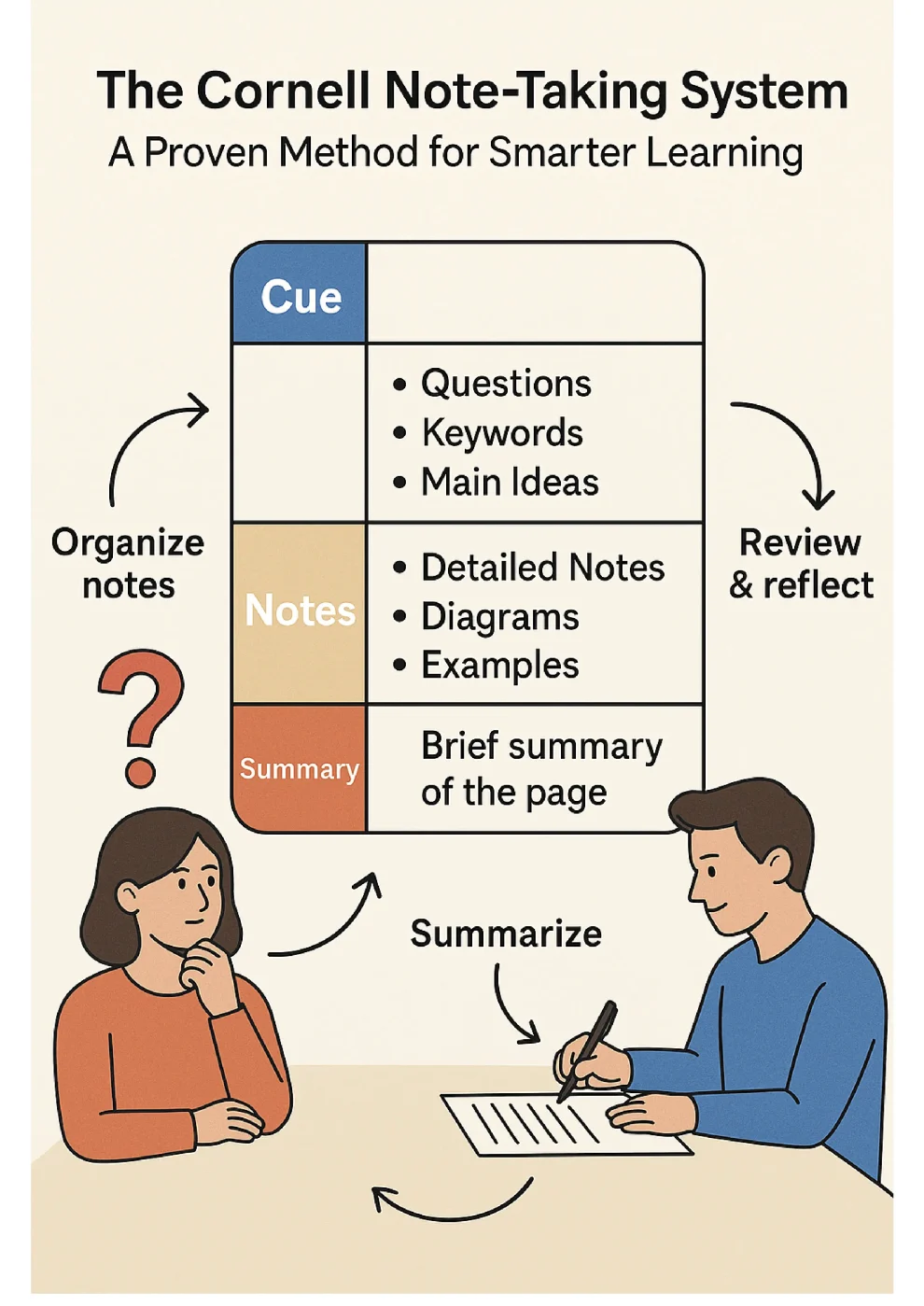

The Cornell system organizes notes into cues, notes, and summary for efficient learning.
For decades, students have searched for a structured, reliable way to take notes that improves understanding and long-term memory. Among all note-taking strategies—outlining, mapping, flow-notes, sentence-style—the Cornell Note-Taking System stands out as one of the most effective. Many students today organize their learning materials using modern PDF tools such as PDFmigo.com, which makes it easy to combine templates, notes, and study files.
Developed by Walter Pauk at Cornell University in the 1950s, this method is still widely used in schools, universities, and professional programs. Its simple structure promotes comprehension, active recall, and efficient review.
1. What Is the Cornell Note-Taking System?
The Cornell layout divides a page into three functional sections:
- Notes section: Main ideas, concepts, diagrams, written during class.
- Cue column: Keywords, questions, and prompts added after class.
- Summary section: A short 2–4 sentence summary written at the bottom.
2. Why the Cornell System Works
2.1 Encourages Active Recall
When students create cue questions, they force the brain to retrieve information from memory—a process known to improve retention.
2.2 Supports Spaced Repetition
Each Cornell page becomes a built-in review tool. Students can cover the notes and practice answering questions from the cue column.
2.3 Improves Understanding
Writing a summary ensures the student has processed the material, not just copied it.
3. How to Create Cornell Notes
Step 1 — Divide the Page
Draw a vertical line 2.5 inches from the left margin. Leave the bottom 2 inches for the summary.
Step 2 — Take Notes During Class
Use the main right area for explanations, examples, definitions, and diagrams.
Step 3 — Fill the Cue Column
After class, write questions and keywords that help you test your understanding.
Step 4 — Write a Summary
The summary helps convert notes into meaningful understanding and prepares the brain for long-term memory.
4. Research Supporting the Cornell Method
- Students using Cornell notes score significantly higher on comprehension tests.
- Summaries improve retention even weeks later.
- Cue questions increase exam performance due to improved recall.
5. Using PDF Tools to Create Cornell Note Templates
Digital learners often store their Cornell notes in PDF format. Using online tools such as Merge PDF, students can combine Cornell templates with lecture slides, textbook excerpts, and study guides into one organized document.
This makes revisiting and reviewing content far more efficient, especially when preparing for exams.
6. Who Benefits Most From the Cornell System?
- High school and college students
- Medical, law, and engineering programs
- Language learners
- Online course students
Conclusion
The Cornell Note-Taking System remains one of the most effective frameworks for academic success. It encourages active recall, critical thinking, structured review, and long-term retention. When paired with digital tools such as PDFmigo.com and features like


